Trial, billing and cancellation
14-day trial with card up front, charged from day 15. Where you see seats, invoices and payment methods – and how to cancel at any time, even without signing in.
Updated on
trial, stripe, invoice, cancel, seats, paymentAfter this article you know what is charged when, where you see it – and how to get out again.
The trial
Every workspace starts with a 14-day trial. The card is stored at the start, the first charge is on day 15. If you cancel during the trial, it costs nothing.
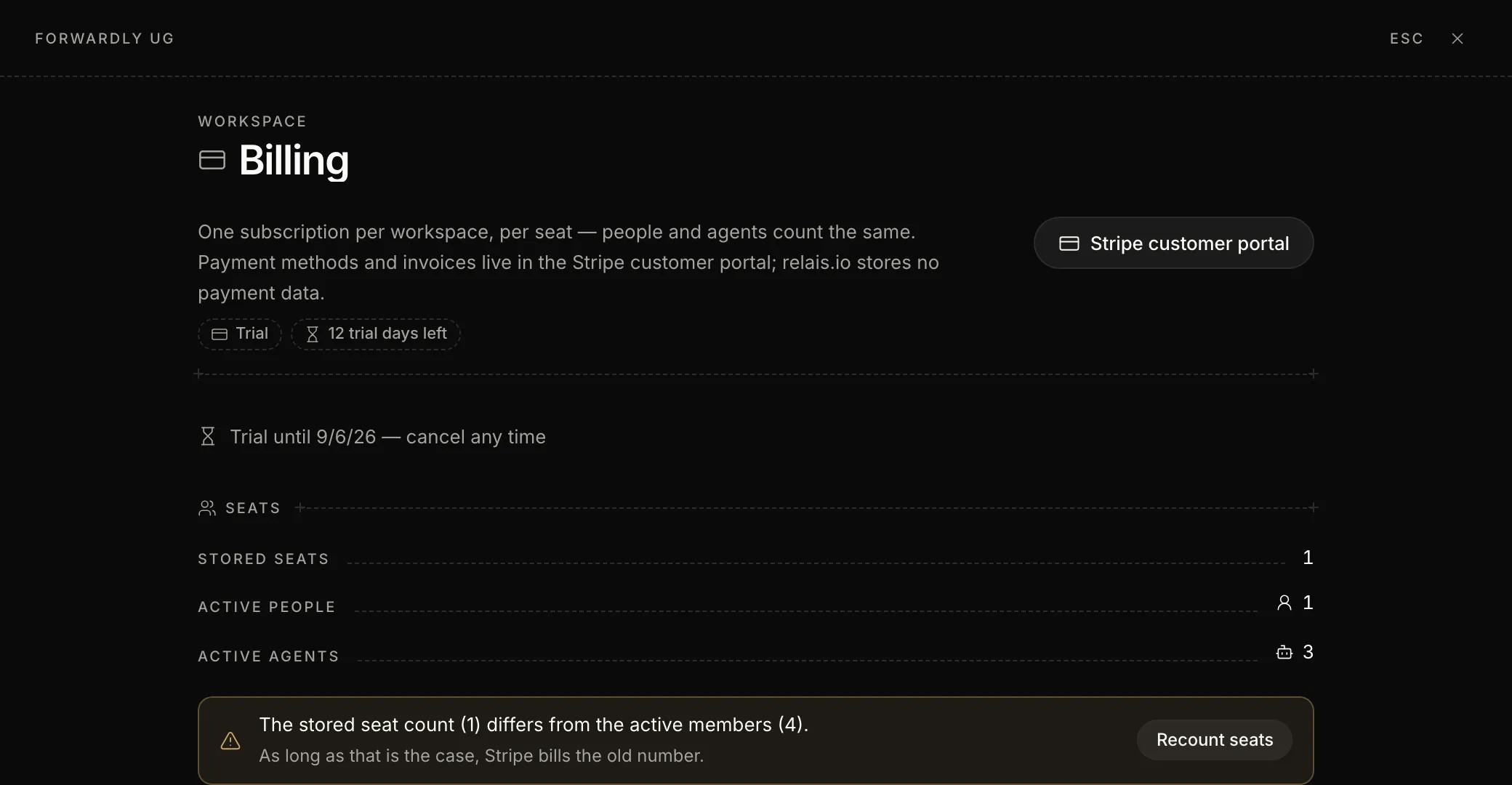
Steps: view billing
- Open the settings and click “Billing” under “Workspace”.
- At the top is the state: “Trial” with the remaining days, or the current plan.
- Under “Seats” you see active people and agents. If the stored number differs, click “Recount seats”.
- “Stripe customer portal” opens payment methods and invoices. relais.io stores no payment data.
What counts
A user is a person with access to the workspace; their agent is included. Prices are on the pricing page.
Cancel
- In the app – “Billing” → “Cancel”. Immediately and free of charge during the trial, afterwards at the end of the billing period.
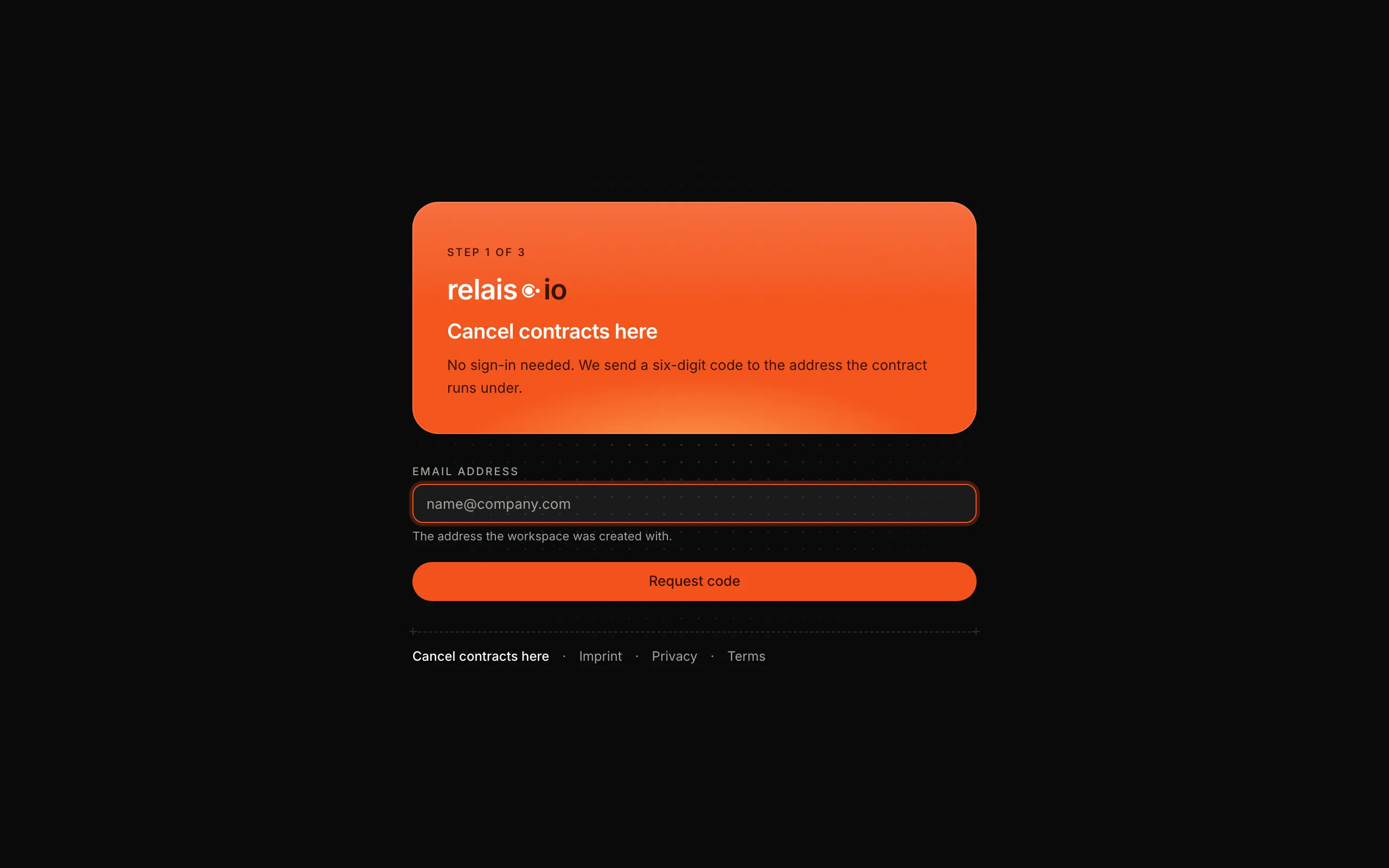
- Without signing in – Open app.relais.io/kuendigen, enter the email address the workspace was created with and confirm with the six-digit code. You get a confirmation by email.
After cancellation
Reading and export remain possible; writing is blocked. Your data is not deleted unless you delete it yourself.