Work through the "Today" inbox
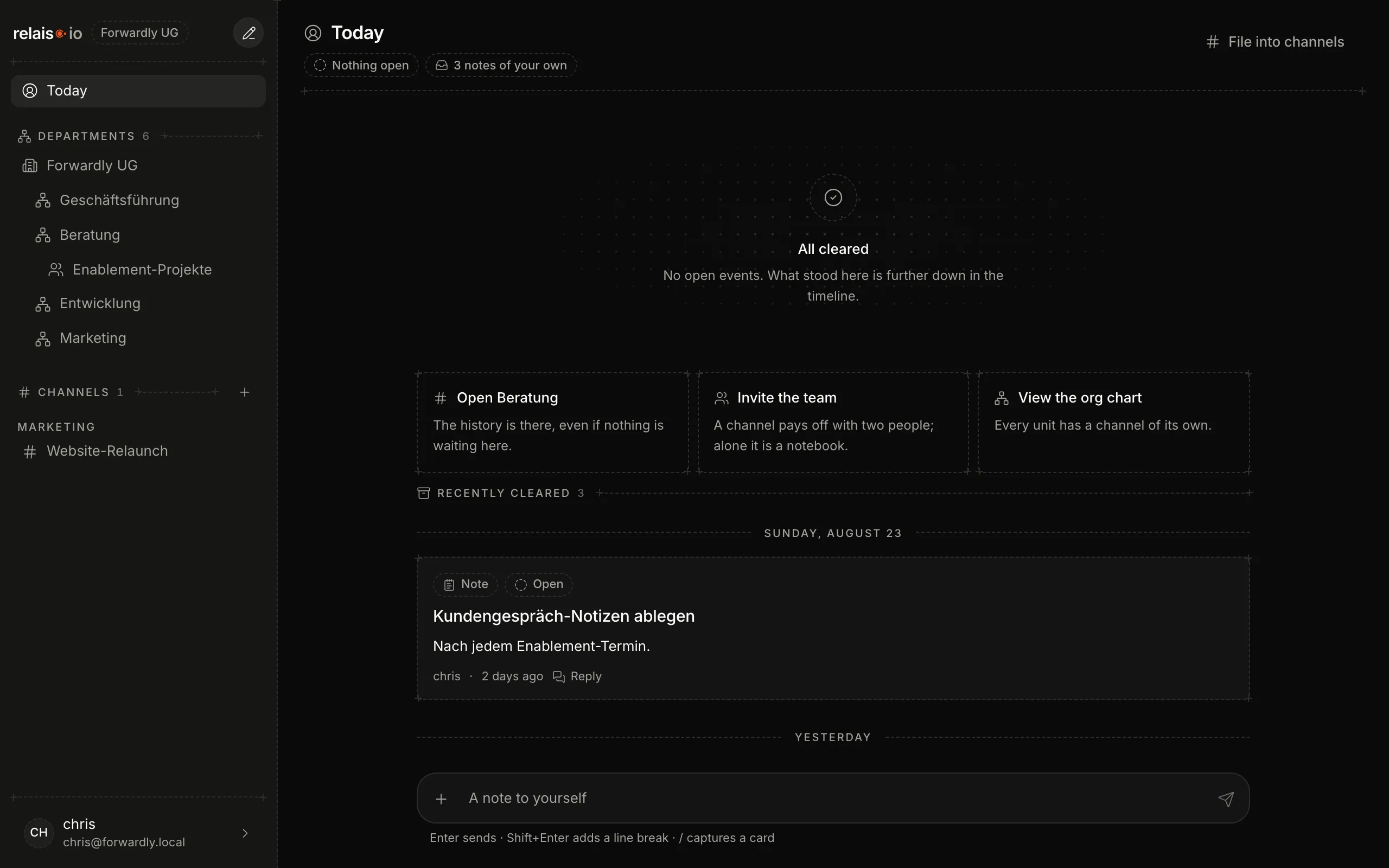
"Today" is your personal channel: assignments, pending approvals, deadlines and replies to your entries – done with one click. Plus notes to yourself.
Updated on
inbox, notes, done, acknowledgeAfter this article you know what lands in “Today” and how to clear it.
What is in “Today”
- Assignments – entries someone assigned to you.
- Approvals – requests waiting for your decision.
- Due dates – entries with a deadline.
- Replies to your own entries.
- Own notes – what you wrote to yourself.
The chips at the top show the state: “Nothing open” means nothing is waiting for you.
Steps
- Click “Today” in the sidebar.
- Every open card has a button to complete or acknowledge it – and “Open in channel” if you need the context.
- Completed items move to “Recently done”. They stay visible, grouped by day.
- Write a note to yourself in the field “Note to yourself” at the bottom. Enter sends, Shift+Enter makes a line break.
Sort in
At the top right is “Sort in”: it moves a note from “Today” into the channel it belongs to – the notebook entry becomes an entry in the topic.
Result
“Today” shows “All done”. What you completed is in the history – nothing is gone.