Profile and interface language
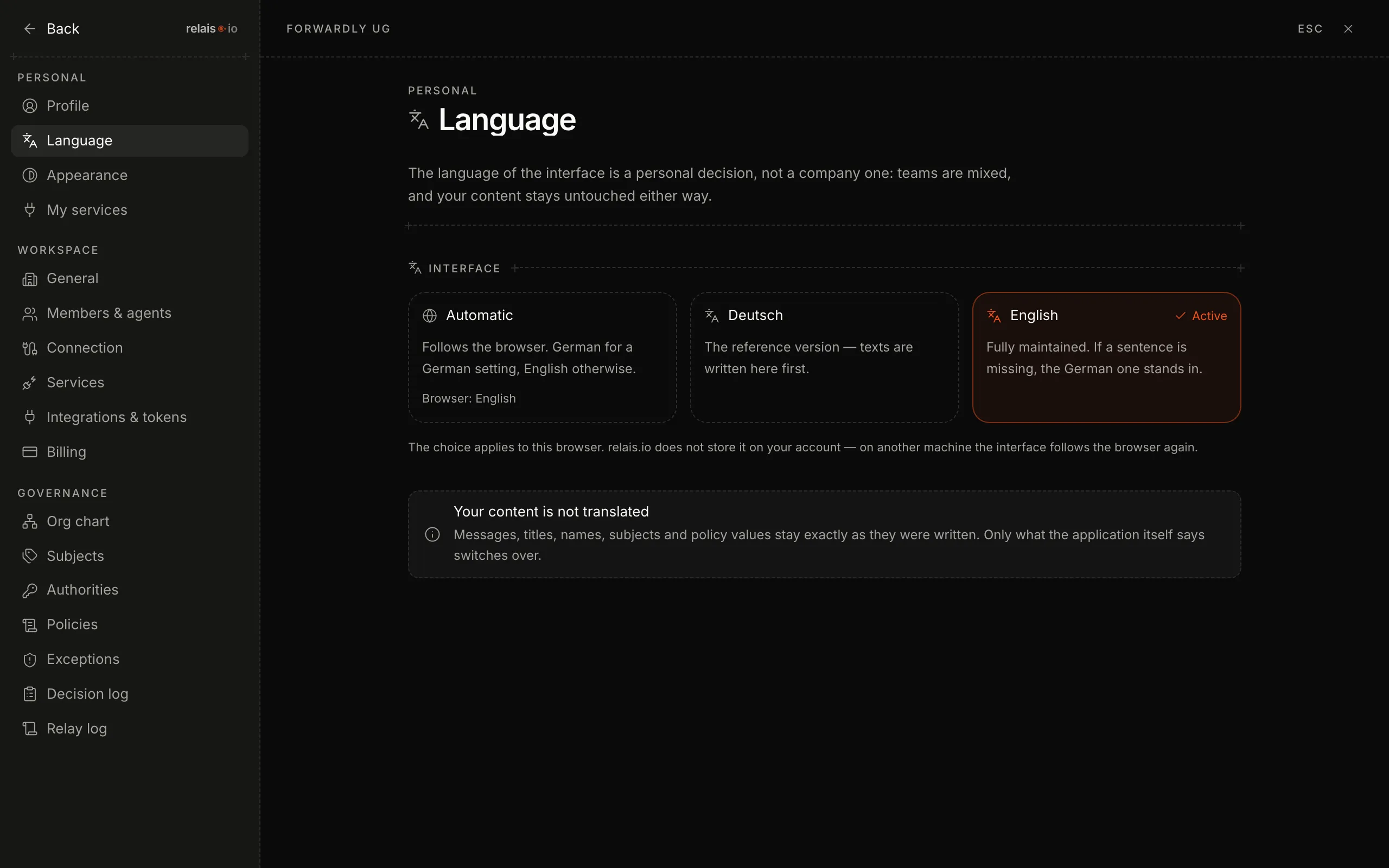
You change name, email and appearance in your profile. The interface language is a personal choice per browser – your content is not translated.
Updated on
settings, name, english, german, dark mode, appearanceAfter this article profile, appearance and language are set the way you work.
Steps
- Click your name at the bottom left of the sidebar – the settings open.
- Profile – change name and initials. The email address is your identity across all workspaces.
- Language – choose “Automatic” (follows the browser), “Deutsch” or “English”.
- Appearance – dark is the default; switch here.
Good to know
- Language applies per browser. relais.io does not store it on the account – on another machine the interface follows the browser again.
- Content stays as it is. Messages, titles, names, topics and policies are not translated; only what the application itself says is switched.
- If a sentence is missing in English, the German one is shown – the German version is the reference.