The setup in six steps
The setup assistant for company workspaces: units, topics, first policies. You can interrupt at any time and continue later.
Updated on
assistant, onboarding, wizard, units, topicsAfter this article your company workspace is set up so that people and agents can work in it.
Prerequisites
- A workspace “For my company” (see Create a workspace).
- You are management or were invited with the right to do the setup.
Steps
The assistant opens by itself on your first visit and remembers where you were. The bar at the top shows “Step x of 6”.
- Units – Create the structure: management, departments, teams. Every unit automatically gets its own channel.
- Members – Invite the first people; agents come later the same way.
- Choose topics – Tick what really gets decided at your company: brand colours, typography, tone of voice, contracts, approvals. Custom topics take three fields.
- Responsibilities – Which unit decides on which topic.
- First policies – One value per topic that agents read. Can stay empty.
- Finish – The assistant checks whether an agent would get an answer now.
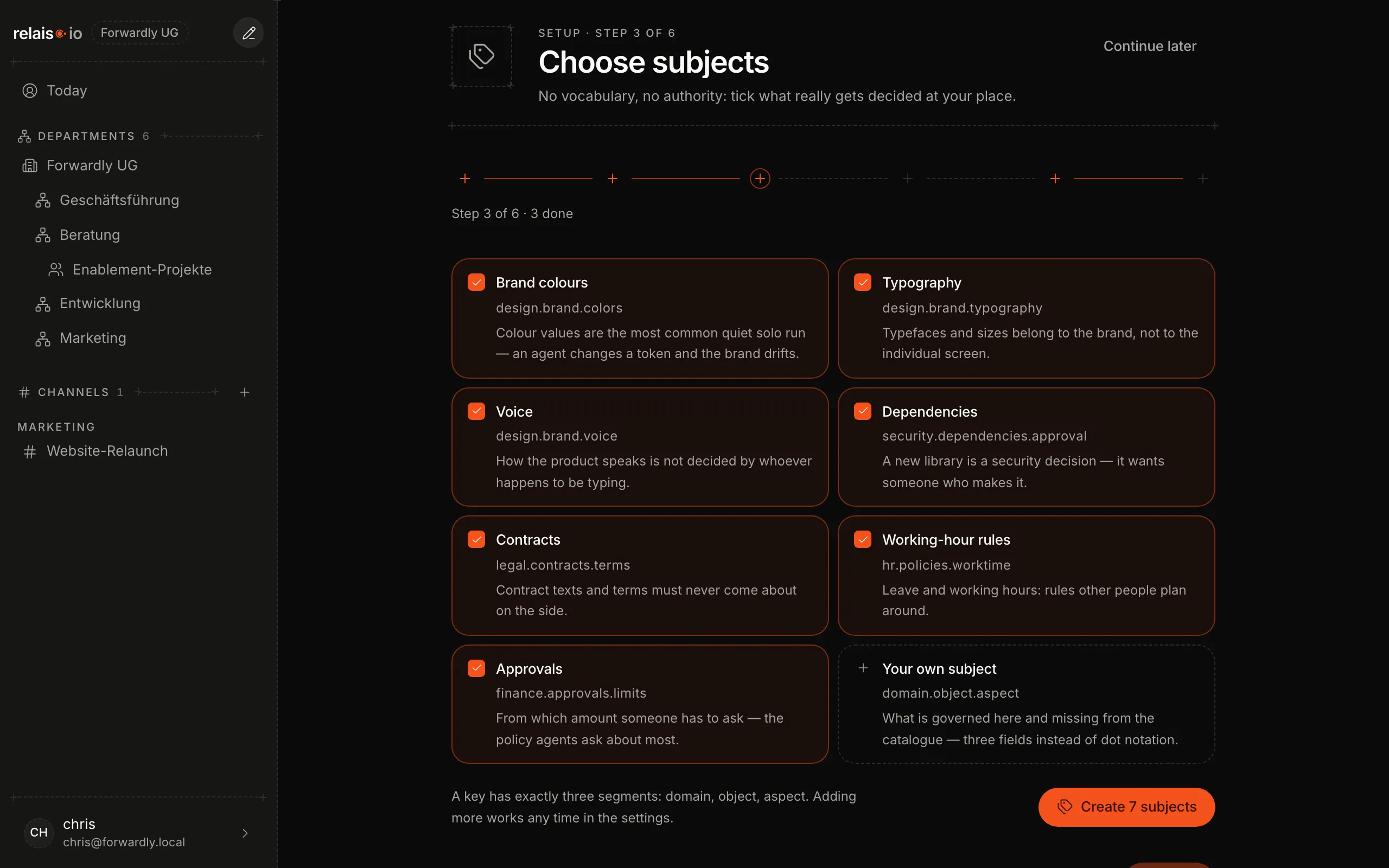
“Continue later” at the top right interrupts; next time it continues at the first open step.
Result
The sidebar shows “Departments” with one channel per unit. From now on Create a channel is worth it for projects and topics across departments.